
The CiviCRM menu has a lot going on — and according to the 2025 end user survey, it’s one of the most overwhelming parts of the system for new and even seasoned users. Let’s be honest here, it one of the key elements that has held CiviCRM back on the UI/UX front. The same menu items are stuck in multiple places and years of more features but not dedicated UI/UX attention have got it to where we are.
But here’s a simple trick that solves a lot of that: Hover over the CiviCRM icon in the top nav, there’s a navigation search menu hiding out! (if you know about it)
Just move your mouse over it, type part of what you’re looking for — like “groups,” “display preferences,” or “address settings” — and you’ll get a filtered list of matching menu items.
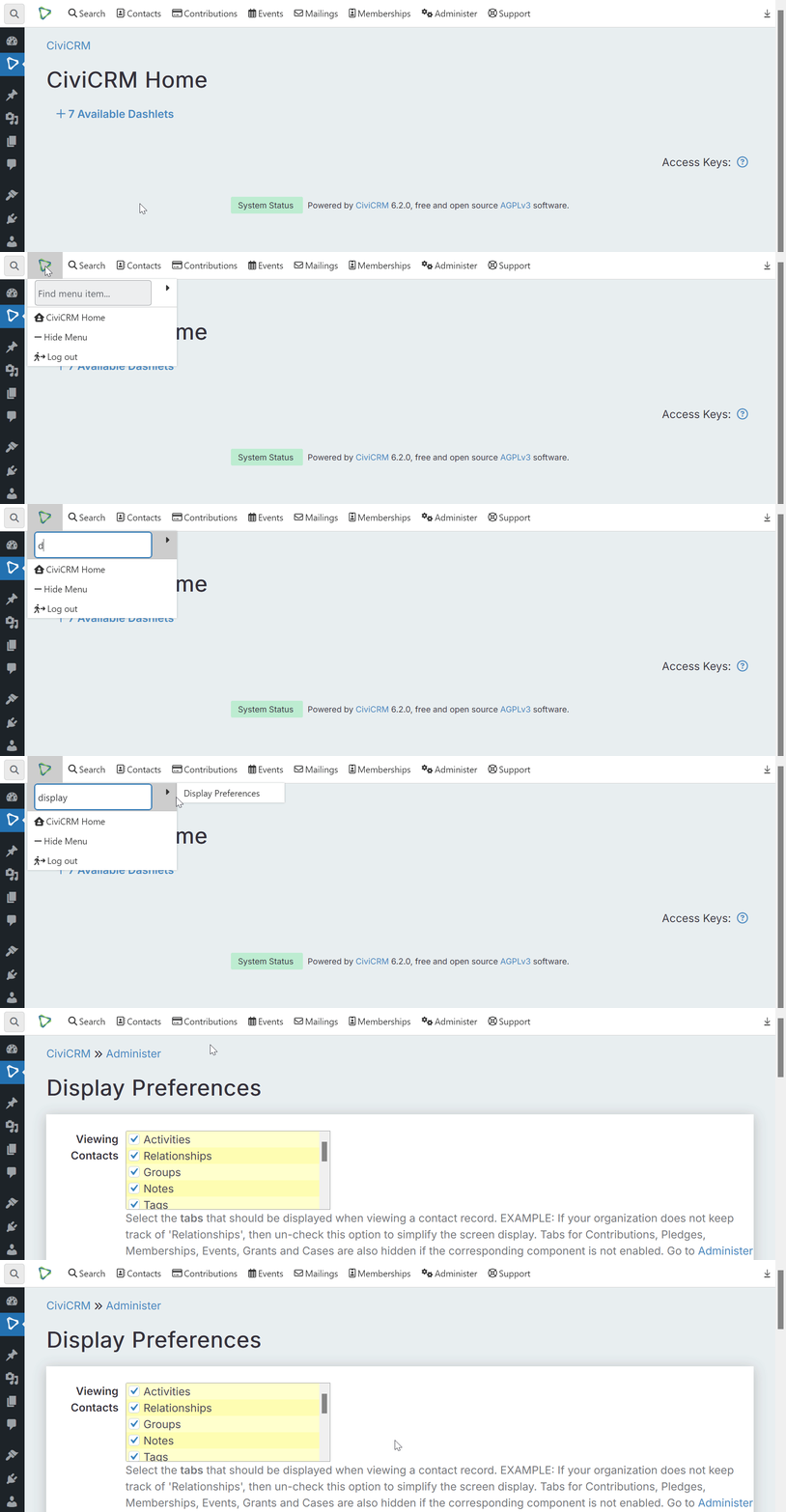
I know seasoned CiviCRM users that aren’t aware of it (some even said as much at CiviCon 2025 recently). So, I always make a special point to cover in client onboarding. Just yesterday, one client said “I use that all the time!”
Now for me, I’ve memorized the menu out of habit. But there’s no real need or points scored to remembering which sub-menu it lives under what.
Here’s the deal:
CiviCRM menu is intimidating. While the new Riverlea theme has made it more appealing to use and look at, it hasn’t address the UX issues. And that topic is now being actively worked on coming out of the Residential sprint at Point Montara, more on that next.
In the meantime, just use this menu search tool makes finding that CiviCRM setting you’re looking for seamless.